Everyday use
Watermark
Stamp every exported sheet with a diagonal watermark, such as PRELIMINARY - NOT FOR CONSTRUCTION or your own design. The drawing stays sharp vector; only the watermark is a picture.
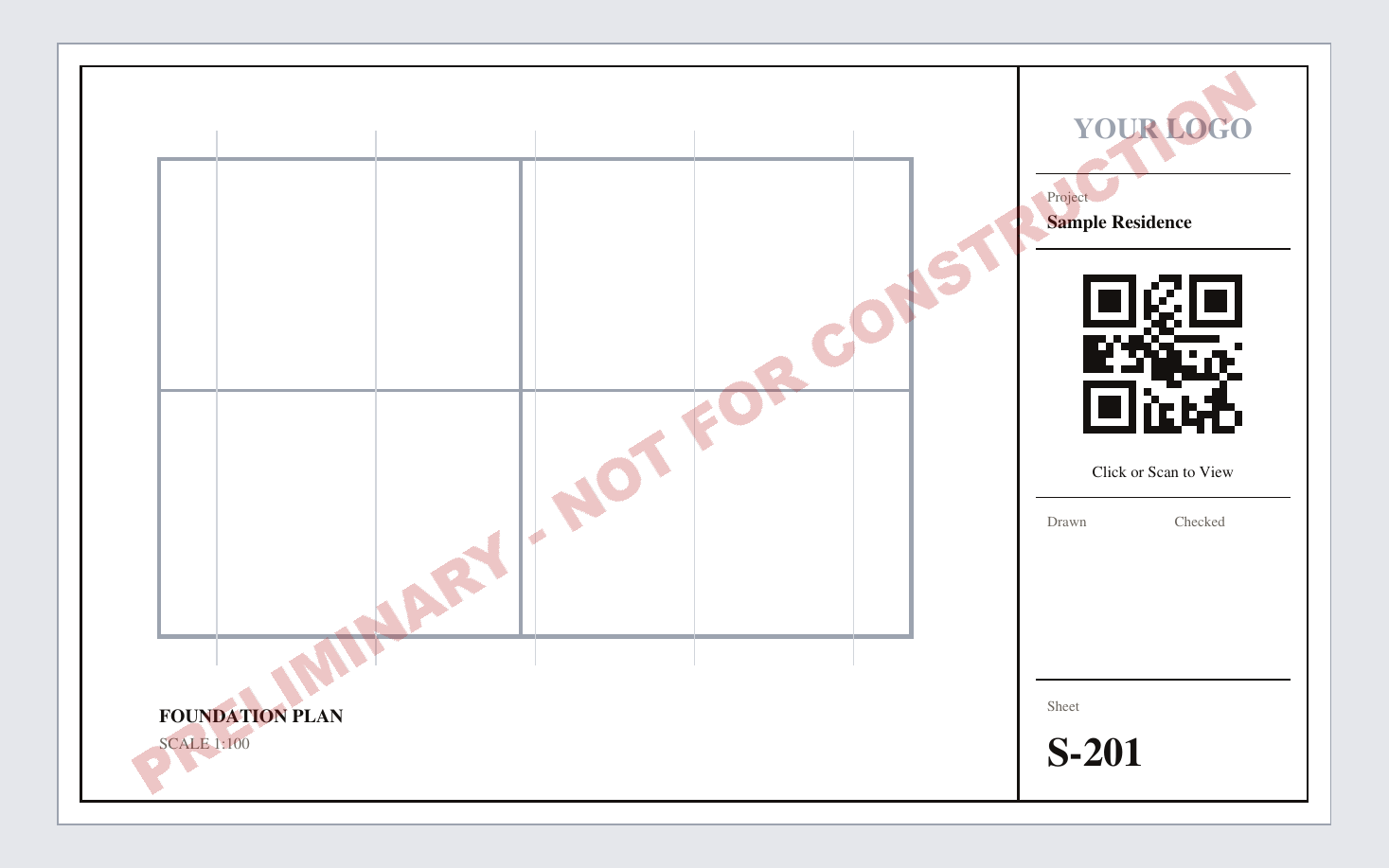
- 1The watermark runs corner to corner. Plotmark always keeps a clear margin round the QR code so phones can still scan it.
Set it up
Structoze›Plotmark›Watermark. Your choices are saved in the model, so everyone exporting from it gets the same watermark.
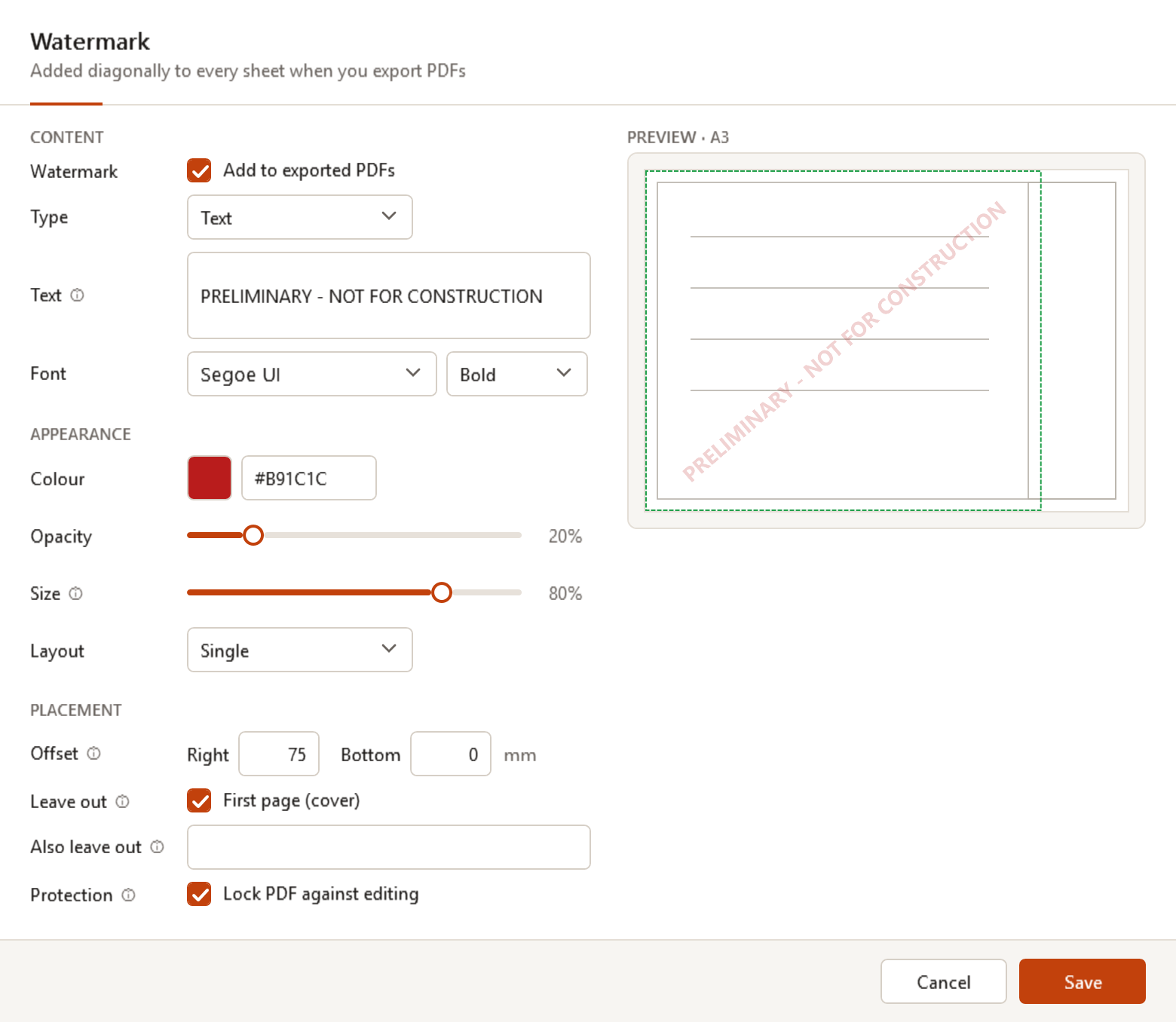
- 1Add to exported PDFs switches it on for every export. Type: Text or Design (a PNG or JPG, such as your logo or a stamp).
- 2Text and font. Press Enter for a second line; lines are centred. Pick any installed font and a weight.
- 3Appearance: colour, opacity (5–90 %) and size.
- 4Layout: Single is one large diagonal. Repeated tiles it.
- 5Offset from the right and bottom page edges, in mm. Keeps the watermark off the title block strip: it is centred in, and clipped to, the area that is left (dashed green in the preview).
- 6Leave out the first page (the cover) and any sheet numbers you list, e.g. S000, A001.
- 7Lock PDF against editing: see Lock the PDF.
- 8Live preview on an A3 sheet.
Single or repeated
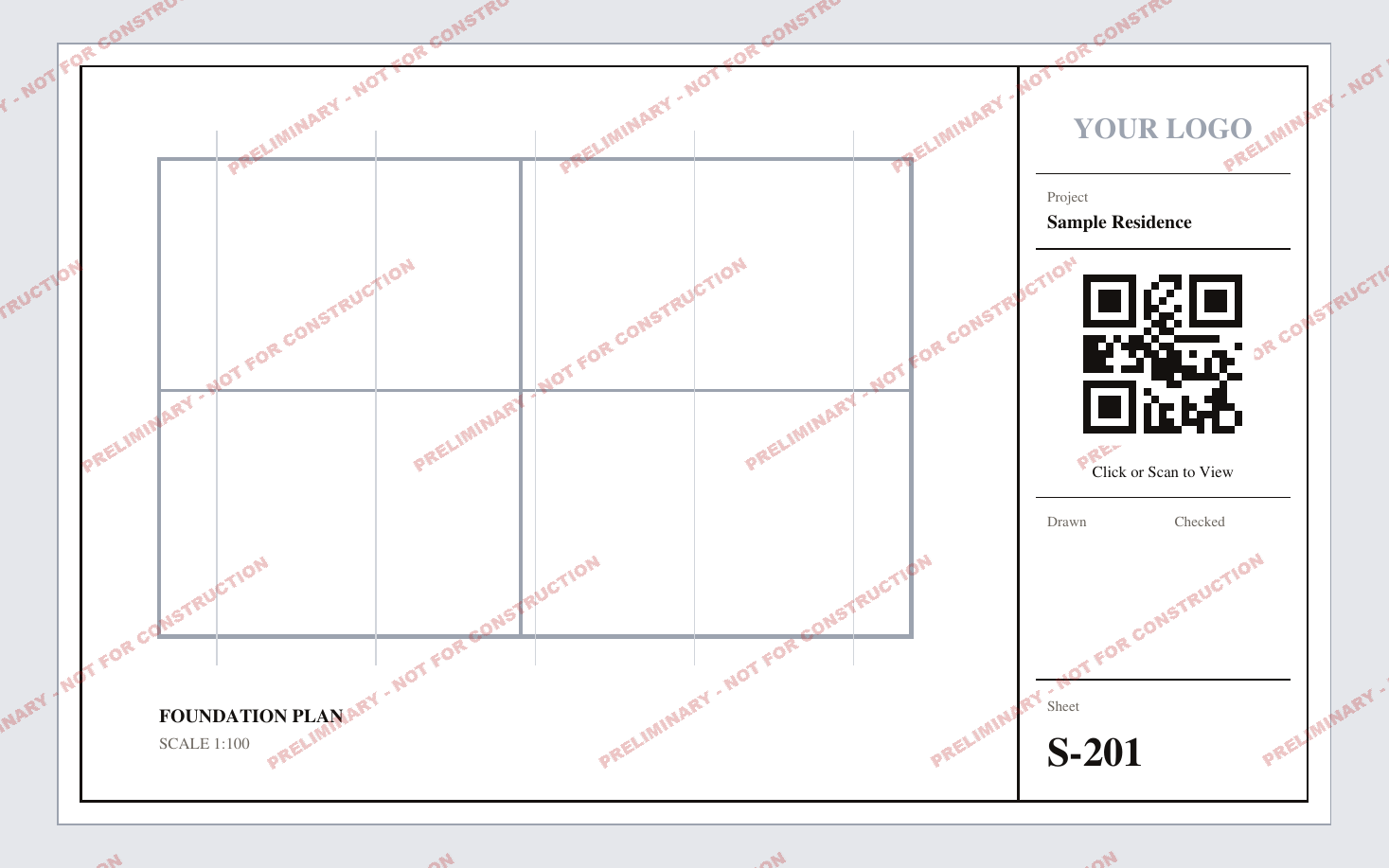
Size sets the length of the single watermark along the diagonal of the watermark area, or the length of each copy when repeated.
Export
Click Export PDF as usual. The Watermark box in the export window is ticked when the watermark is switched on. Untick it for a clean set, or tick it to add a watermark that is set up but switched off, for that export only. The cover and any sheets you listed are always left clean.
Why it is an image
- The watermark is drawn as a picture, so there is no text in it to select, copy or retype.
- Everything else on the sheet, including lines, text and the clickable QR link, stays vector and sharp at any zoom.
- The picture is embedded once per PDF, even when repeated, so files stay small.
Lock the PDF
With Lock PDF against editing ticked, the PDF is protected with 256-bit AES:
| Open and view | Anyone, no password |
|---|---|
| Allowed, full quality | |
| Edit, annotate, extract pages or images | Refused by Acrobat, Bluebeam, Foxit and other PDF editors |
| Click the QR link | Still works |
Something unclear? Tell us.