Getting started
Overview
Plotmark exports your Revit sheets as true-scale PDFs, with a clickable QR code on every sheet and an optional locked watermark. On paper, scanning the QR opens your model in the browser. In the PDF, clicking it does the same.
You paste one link into the project. Plotmark places the QR code on each sheet, inside a box you draw once in the title block. When the link changes, every QR code updates by itself.
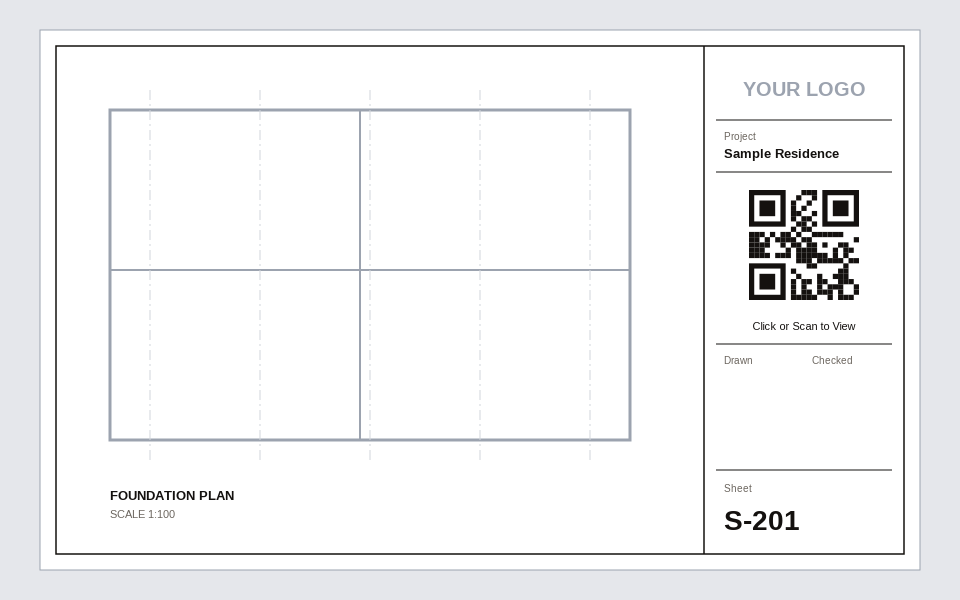
- 1The QR code sits in the title block, in the box you marked. It opens your Shared Views link on any phone.
How it works
1
Share
Copy a link from Autodesk Shared Views, or any web link.
2
Paste
Paste it once into the QR Link parameter.
3
Done
Every sheet gets a QR code, and they stay up to date.
What you get
- PDF export at true sheet size and scale, every sheet on its own page size, in Project Browser or sheet number order
- QR codes on every sheet, placed in a box you draw once in the title block
- Automatic updates when the link, the sheets or the title block change
- One link for the project, with an override or
noneper sheet - Your colours, five dot styles, rounded or leaf eyes, and your logo in the centre
- Clicking the QR code in the PDF opens the link
- Diagonal watermark (text in any font, or your design) kept off the title block and the cover, with a lock against editing
- QR images saved inside the model, so colleagues without Plotmark still see them
Requirements
| Revit | 2022, 2023, 2024, 2025 or 2026 |
|---|---|
| Windows | Windows 10 or 11, 64-bit |
| Rights | No administrator rights needed. Installs for your Windows user only. |
| Price | 7-day free trial, then US$12 a month or US$99 a year per seat. Account & licence |
| Privacy | Only a licence check goes to Structoze. Nothing from your models or PDFs is ever sent. No telemetry. |
Something unclear? Tell us.